Lynda - SketchUp Rendering Using Twilight

Twilight ปลั๊กอินเรนเดอร์งาน สำหรับโปรแกรม SketchUp ปลั๊กอินดีๆ
ที่ราคาไม่แพงมาก แต่ให้คุณภาพการเรนเดอร์ที่ดี
ในวิดีโอชุดนี้จะมาสอนการใช้งานปลั๊กอินตัวนี้ครอบคลุมการใช้งานอย่าง
ละเอียด
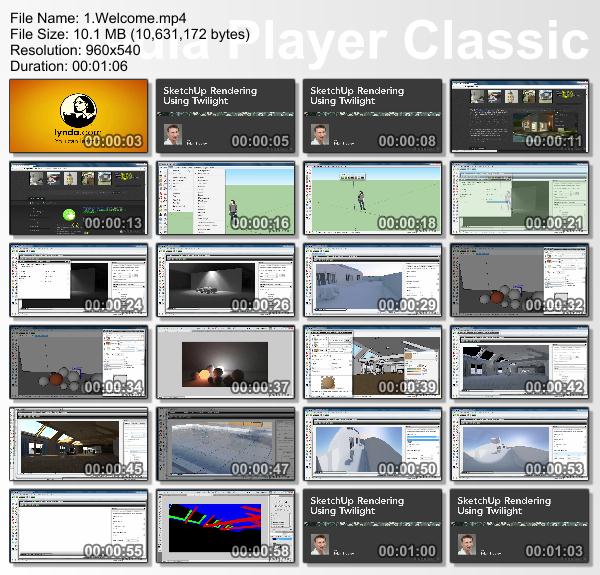
Lynda.com – SketchUp Rendering Using Twilight
Intermediate | 2h 56m Project Files 232 MB | Required Software: Google SketchUp 8, Twilight Render 1.5
Twilight is a very popular and inexpensive third-party renderer for SketchUp. This course shows how to create highly realistic 3D architectural drawings (including interior/exterior elements) with the lights, materials, camera, and render options in Twilight. Author Brian Bradley explains the importance of reflectance in materials, and shows how to manage and save rendering presets, how to correct for perspective, tone, and exposure in the camera, and how to create a variety of material types. The final chapter covers rendering your complete arch-viz scene for a couple types of output, including animation and composites.
Topics include:
+ Installing Twilight
+ Adding the Physical Sun and Sky
+ Employing Point, Spot, and Projector light types
+ Using light emitting materials
+ Managing the Quality Presets
+ Positioning your scene view
+ Working with the camera’s Focal Length setting
+ Creating diffuse, reflective, and refractive surfaces
+ Rendering out an alpha mask
+ Setting up a depth render
Lynda.com – SketchUp Rendering Using Twilight
Intermediate | 2h 56m Project Files 232 MB | Required Software: Google SketchUp 8, Twilight Render 1.5
Twilight is a very popular and inexpensive third-party renderer for SketchUp. This course shows how to create highly realistic 3D architectural drawings (including interior/exterior elements) with the lights, materials, camera, and render options in Twilight. Author Brian Bradley explains the importance of reflectance in materials, and shows how to manage and save rendering presets, how to correct for perspective, tone, and exposure in the camera, and how to create a variety of material types. The final chapter covers rendering your complete arch-viz scene for a couple types of output, including animation and composites.
Topics include:
+ Installing Twilight
+ Adding the Physical Sun and Sky
+ Employing Point, Spot, and Projector light types
+ Using light emitting materials
+ Managing the Quality Presets
+ Positioning your scene view
+ Working with the camera’s Focal Length setting
+ Creating diffuse, reflective, and refractive surfaces
+ Rendering out an alpha mask
+ Setting up a depth render
